
Room pictures
Every room has a picture in three lighting states: day, evening and lights-off. The picture follows the sun and the lamps. There are three ways to get one.
1. Keep the defaults
Section titled “1. Keep the defaults”Hauser ships illustrations drawn from a real household. Each room gets one by its name, in every supported language. They are of the author’s home, so they will not match yours.
2. Upload your own
Section titled “2. Upload your own”Open Settings → Home → Rooms & devices, tap the room’s picture, then upload a JPEG, PNG, WebP or AVIF. Replace or remove it any time. Without your own picture the default returns.
3. Let the wizard draw it
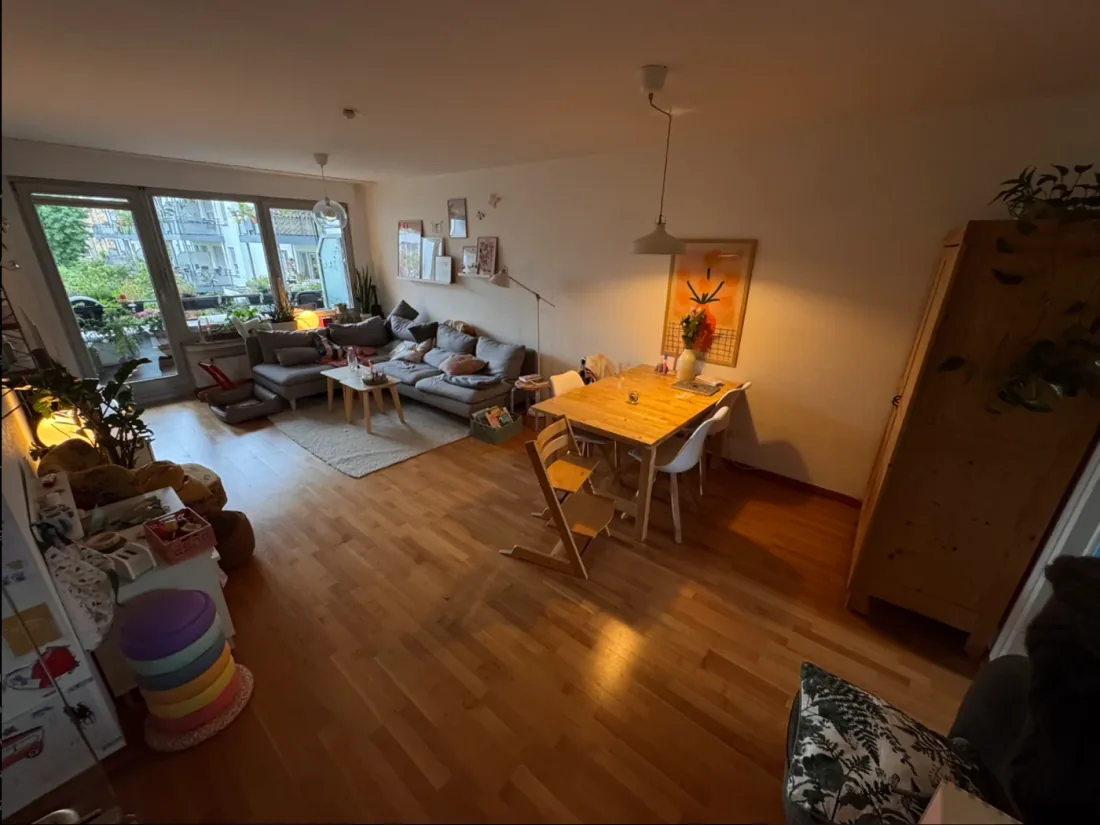
Section titled “3. Let the wizard draw it”The room-image wizard turns a phone photo of your room into an illustration in Hauser’s style.
 |
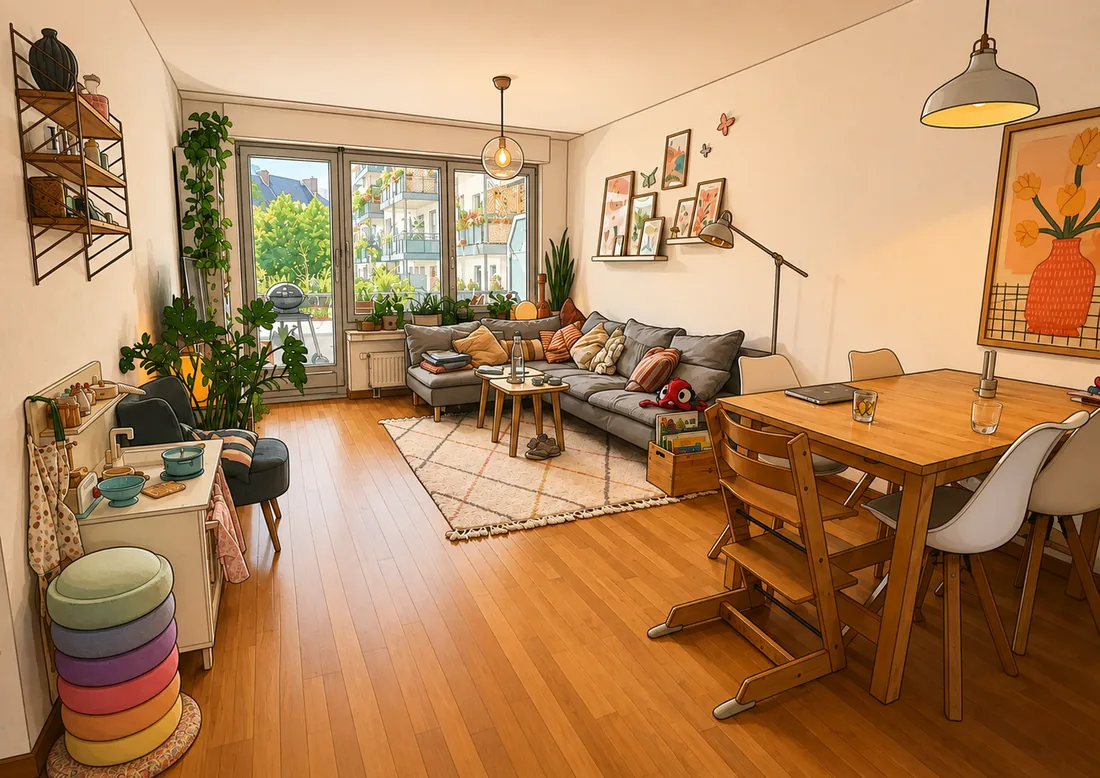 |
| Input – evening light, a wide lens, toys on the floor | Output – the same room |
How it works:
- Open Settings → Home → Rooms & devices → Create room images, or the room’s picture menu.
- Pick the room, pick the photo, choose the crop and the focus point.
- The first pass may correct perspective. After that the camera, the geometry and the object positions are frozen, so what comes back is still your room.
- Day, evening and lights-off are generated as one set, plus an overcast variant for rainy days. A vision model notes the surfaces it sees (windows, floor, seats) so rain is drawn only inside the windows.
- Review the set and publish it. Publishing is atomic. Phone-sized variants are derived automatically.
Outside (energy) is a target too: a photo of your house becomes the stage of the energy screen.
The library
Section titled “The library”Finished sets stay in the library under Rooms & devices. Assign a set to a room, switch between sets, delete old ones. A set assigned to a room takes effect immediately.
Lamp placement
Section titled “Lamp placement”In the room editor you can place the room’s lamps in the picture. Placed lamps light their cone when they are on and fade out slowly when they go off. When the last lamp goes out the picture dims into its unlit version.