
Appearance
Nobody in the household should reach for a theme setting. By default the interface and the room pictures follow the sun, using sun.sun from Home Assistant. Around sunrise and sunset the picture and the interface tones cross-fade over the sun’s elevation instead of switching.
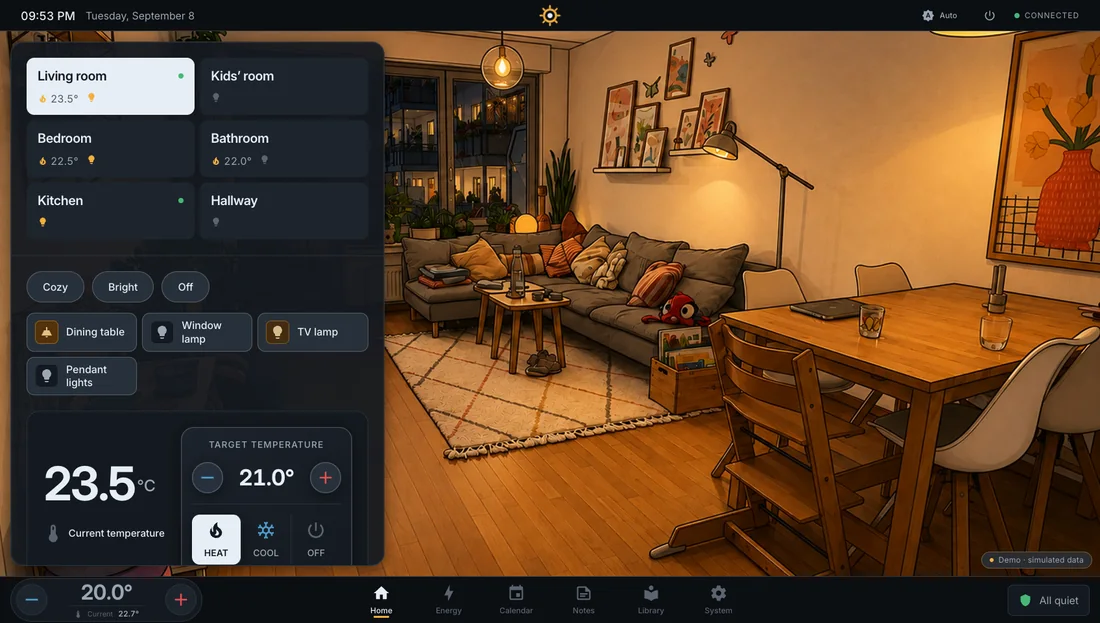
Five states
Section titled “Five states”The appearance button in the title bar and Settings → Appearance → Appearance rotate through five states:
| State | Interface | Room pictures |
|---|---|---|
| Auto (default) | Follows the sun | Follow the sun |
| Light UI | Stays light | Follow the sun |
| Dark UI | Stays dark | Follow the sun |
| Day fixed | Light | Day, no dusk transition |
| Evening fixed | Dark | Evening, no dusk transition. The dim-down when the last light goes out stays. |
A manual choice stays until you change it. It belongs to the device.
Card style
Section titled “Card style”Card style decides how cards look when they sit on a room picture:
- Glass on images. Dark translucent glass with light text. The picture shows through.
- Standard. The same cards as on every other surface.
Motion
Section titled “Motion”Screens and sheets share one motion system. Pages slide in from the side of their tab, the active tab is a warm pill that glides. Reduced-motion settings in the operating system switch all of it off, including the rain, the fan symbol and the standby ring.
Interface language
Section titled “Interface language”Interface language switches between the six languages without a reload. See Languages.